Mirror the job
Use parent and child items to represent phases, rooms, installations or packages instead of squeezing the whole job into a flat price list.
Structured quoting for trades
Separate a project into phases, rooms, systems or work packages, then add the detail beneath each section. CostForge keeps the working quote organised and the scope easier for the customer to follow.
Live commercial view
Estimate → quote → invoice
Costs
Visible
Margin
Protected
Client
Ready
The commercial problem
Installations, refurbishments and multi-stage jobs are rarely understood as one undifferentiated list. When the estimate is organised in the same way the work will be delivered, it is easier to check what has been priced, explain the scope and spot what is missing before the quote goes out.
Use parent and child items to represent phases, rooms, installations or packages instead of squeezing the whole job into a flat price list.
Add quantities, unit prices, descriptions and staff-hours labour beneath the relevant part of the scope.
Store issue and expiry dates, payment terms, terms and conditions, tax behaviour and the quote number with the commercial record.
Move the same quote through draft, sent, accepted or declined status instead of losing the outcome in separate files and inbox threads.
A repeatable workflow
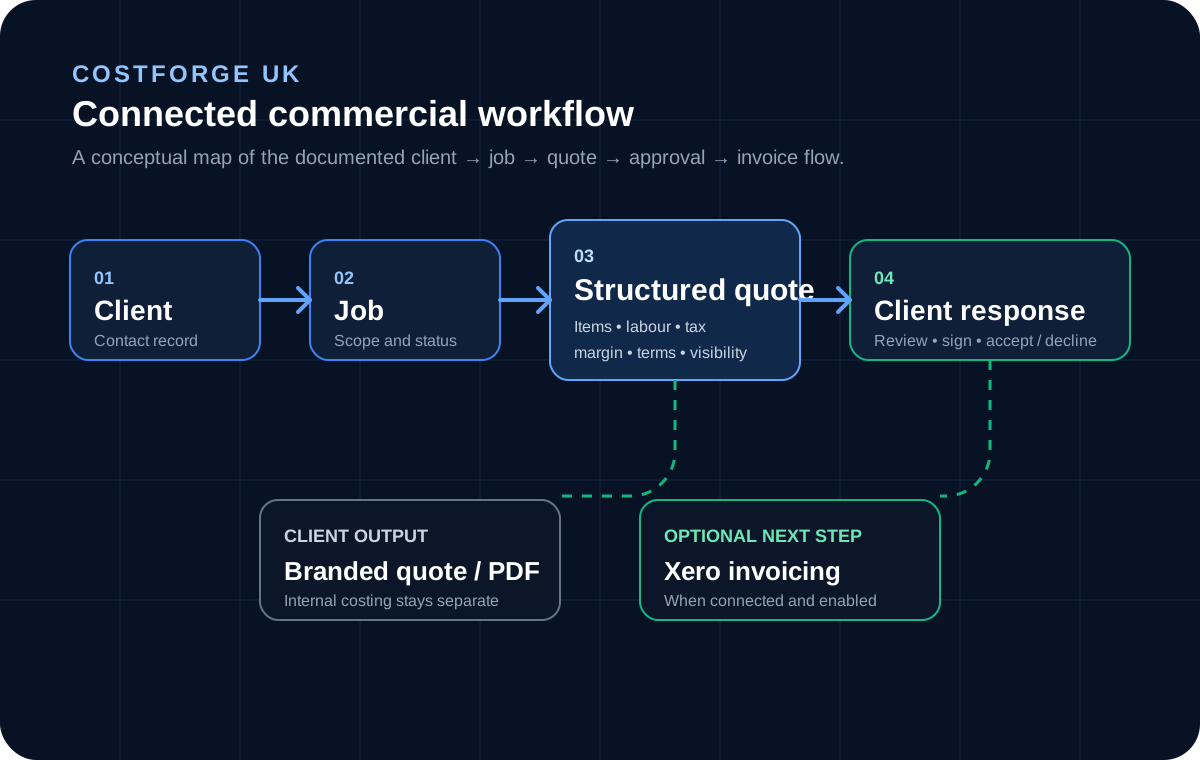
The quote starts inside the client and job record. Its structure supports the internal pricing work, the cleaner customer presentation and the response that follows.
01
Create the main sections that match the work: for example preliminaries, room packages, first fix, second fix, testing or handover.
02
Nest materials, services and staff-hours labour beneath the relevant section, then apply the quote-level tax and internal margin settings.
03
Choose the detail the customer should see, add the dates and terms, then send the branded quote for a signed accept or decline response.
Built for real work
Structured quoting is especially valuable when the work has stages, locations, optional packages or several types of cost that need to remain understandable as the quote grows.
Organise extensions and refurbishments by stage, trade package or area of work.
Explore pageGroup equipment, preparation, installation, commissioning and handover under a clear scope.
Explore pageSeparate circuits, rooms, equipment, labour, testing and certification without losing the whole-job total.
Explore pageGive estimators and administrators one structured commercial record to review and reuse.
Example quote structure
Kitchen refurbishment
Preparation
Protection, strip-out and waste
First fix
Plumbing, electrical and carpentry
Installation
Units, worktops and appliances
Finishing
Decoration, testing and handover
The presentation layer
The structured working quote and the customer presentation come from the same record. Use item-level visibility to keep sensitive costing detail internal while preserving a clear, complete scope.
Explore internal and customer viewsUse the answers below to compare a structured quoting workflow with spreadsheets and generic accounting tools.
Yes. Quote items can have parent and child relationships, so the scope can be organised into nested sections rather than a single flat list.
Yes. CostForge supports staff-hours quote items that use defined labour roles and hourly rates, alongside other material or service items.
Quotes support issue and expiry dates, payment terms, terms and conditions, configurable tax, a quote prefix and number, internal margin and draft, sent, accepted or declined status.
No. Individual items can be retained in the working quote while being hidden from the customer-facing version. The visible scope should still make the work and price clear.
Build a calmer commercial process
Build the scope around the real job, keep the commercial reasoning together and send the customer a quote that is easier to understand.
Start free