Quote and site details
Record the business, client, site, quote reference, issue date and validity before the pricing rows begin.
Free UK construction quotation template
Download a formula-ready CSV for building, refurbishment and trade work. Enter your own quantities and unit prices to calculate item totals and a quote subtotal, then confirm the VAT treatment and project terms.
Before sending: This CSV totals the rates you enter; it does not add profit markup automatically. Check that you are entering customer selling rates rather than unintentionally sending your internal costs as the quote price.
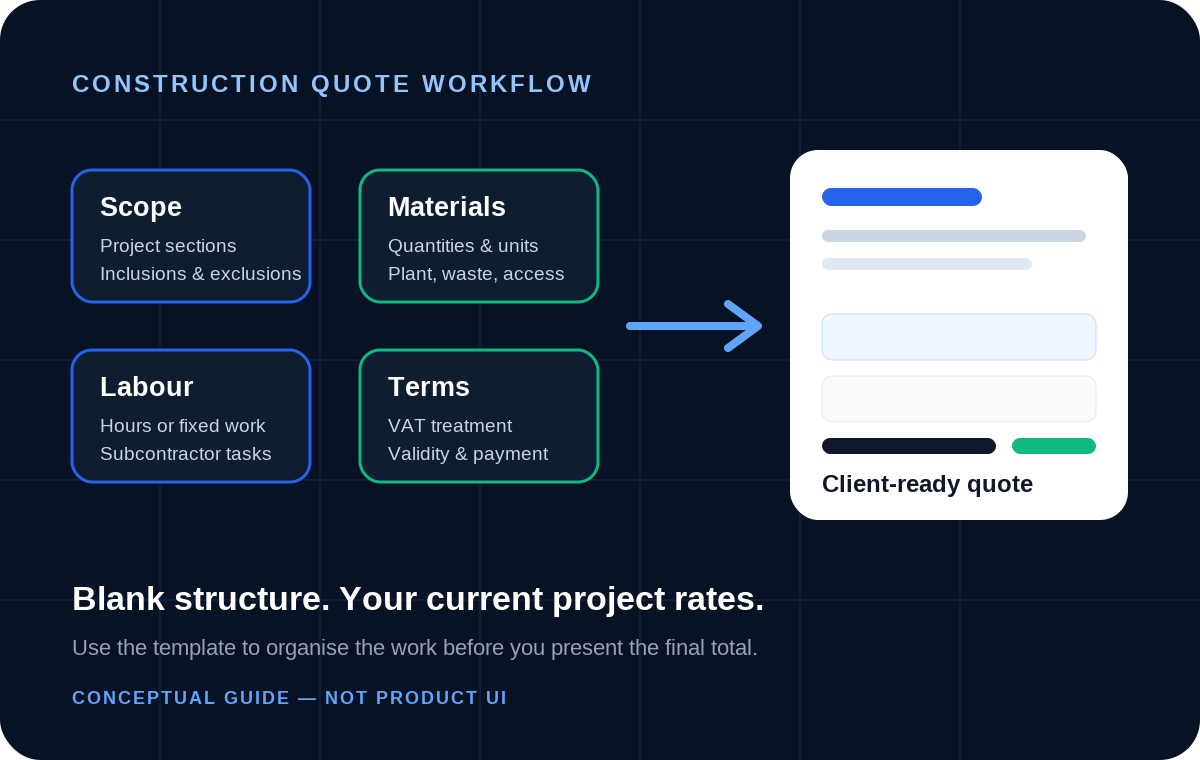
What the download includes
Generic sample rates age quickly and can make a template look more accurate than it is. This download leaves the commercial inputs blank so you can use current labour rates, supplier costs, subcontractor quotations and site-specific allowances.
Record the business, client, site, quote reference, issue date and validity before the pricing rows begin.
Separate the project description, inclusions, exclusions and allowances so the total is tied to a defined scope.
Price labour, materials, subcontractors, plant, access, waste and delivery with the quantities and rates that apply to the actual job.
Add the VAT treatment, payment terms, terms and conditions, change process and customer acceptance details that apply to the quote.
The CSV keeps quantities and unit prices blank, with formulas for seven construction costing rows, a subtotal and a conditional VAT-aware total. Open it in a spreadsheet, enter your current rates, and confirm that your software evaluates the formulas before sending a quote.
Download the template| Category | Description | Quantity | Rate / cost |
|---|---|---|---|
| Labour | Trade labour / staff hours | Enter job quantity | Enter current rate |
| Materials | Project materials and consumables | Enter quantity | Enter supplier cost |
| Subcontractors | Named specialist work package | Enter scope | Enter current quote |
| Plant / access | Plant hire or access equipment | Enter duration | Enter current cost |
How to use the CSV
Record the site, inclusions, exclusions and allowances. Keep provisional items clearly labelled rather than treating them as fixed confirmed costs.
Use current supplier quotes and your actual labour and subcontract costs. The amount column multiplies quantity by unit price; the subtotal adds the seven costing rows.
The final total stays blank until you enter a VAT percentage. Check whether VAT applies, plus overhead recovery, margin, payment stages and changes to scope, before issuing the client version.
Imagine a small, fictional building work package. The figures below show why a cost subtotal is not automatically a finished quotation. All rates are invented for arithmetic only, not current UK trade prices or a complete site estimate.
| Stage | Example basis | Amount |
|---|---|---|
| Labour | 12 hours × £45 | £540 |
| Materials | 8 units × £35 | £280 |
| Plant, waste and access | Illustrative allowance | £180 |
| Allocated overhead | Not already in rates | £100 |
| Modelled job cost | £540 + £280 + £180 + £100 | £1,100 |
| 25% markup on cost | £1,100 × 0.25 | £275 |
| Selling price before VAT | £1,100 + £275 | £1,375 |
| VAT, if 20% applies | £1,375 × 0.20 | £275 |
| Illustrative total with VAT | Only if this VAT rate applies | £1,650 |
Important CSV limitation: The downloaded sheet sums the quantity × rate rows and adds VAT when you enter a rate. It does not calculate the £275 markup in this example. If you enter the £1,100 of modelled costs as the line rates and use a 20% VAT input, its displayed total would be £1,320, not the £1,650 illustrated above. Calculate and apply your appropriate selling rates before treating that total as a client quotation.
A 25% markup here gives a 20% modelled gross margin (£275 ÷ £1,375), assuming all relevant costs were included. VAT is separate from margin. Confirm the treatment applicable to your work against official UK VAT guidance; the 20% figure above is an example, not a blanket rule for construction.
Use the markup and margin calculator to work out a selling price and the building-quote overheads guide to check cost recovery. For repeatable client-ready quotes, see the construction estimating workflow.
From template to working quote
Use the construction quote generator for labour, materials, markup and VAT arithmetic before building the full scope.
Use the builder version for extension, refurbishment and staged building-work categories.
Save a complete quote or reusable item package, import it into a new quote, then edit the copied content for the job in front of you.
Use the template as a starting structure, then adapt every commercial input to the actual job.
Yes. The CSV downloads directly with no email form or account required. Open it in Excel, Google Sheets or another spreadsheet application and adapt it to the project.
A useful template should identify the business, client and site, define the scope, show relevant labour and material categories, record assumptions and exclusions, explain VAT treatment where applicable, and include validity, payment terms and acceptance information.
No. No rates or prices are pre-filled. The CSV includes spreadsheet formulas, but you supply job-specific quantities, rates and the applicable VAT percentage. Check the calculations in your spreadsheet before quoting.
No. The downloaded CSV multiplies quantities by the rates you enter and adds VAT at the percentage you specify. It does not add profit or markup by itself. Work out your selling rates separately, account for all job costs and check the total before sending a quote.
This page provides an editable CSV with per-item calculations and scope/terms fields. The construction quote generator is useful for a quick labour, materials, markup and VAT scenario before you prepare a fuller client quote.
Keep the scope reusable
Use the free CSV today, or explore how CostForge stores reusable quote structures for future jobs.
For subscription details, see current pricing.