Guided quote templates
Turn the questions you ask on every enquiry into priced quote items. Set the pricing rules once, then enter each job’s measurements or choices to calculate quantities, staff time and a price.
Available in CostForge workspaces with quote access.
How many skips does a 150 m² shop refit need?
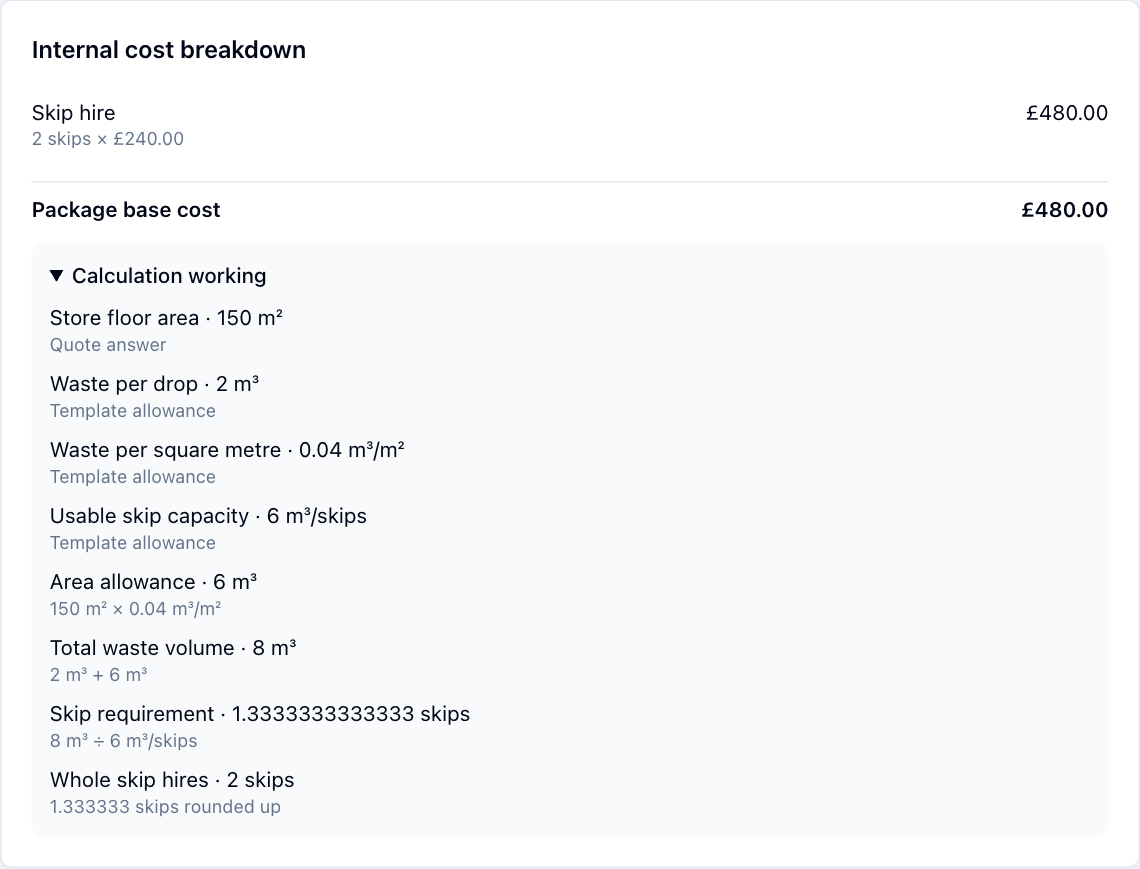
In the shop-fitting waste removal starter, the estimator enters the floor area. The template allows 0.04 m³ of waste per square metre, giving 6 m³ for this shop. A fixed 2 m³ allowance takes the total to 8 m³.
Each skip holds 6 m³. The calculation divides 8 by 6 and rounds up to two whole hires. Your team can trace every step back to the measurement.
£480
Two skips at the example rate of £240 each, before markup and VAT.
From the template library to a draft quote
Write the questions
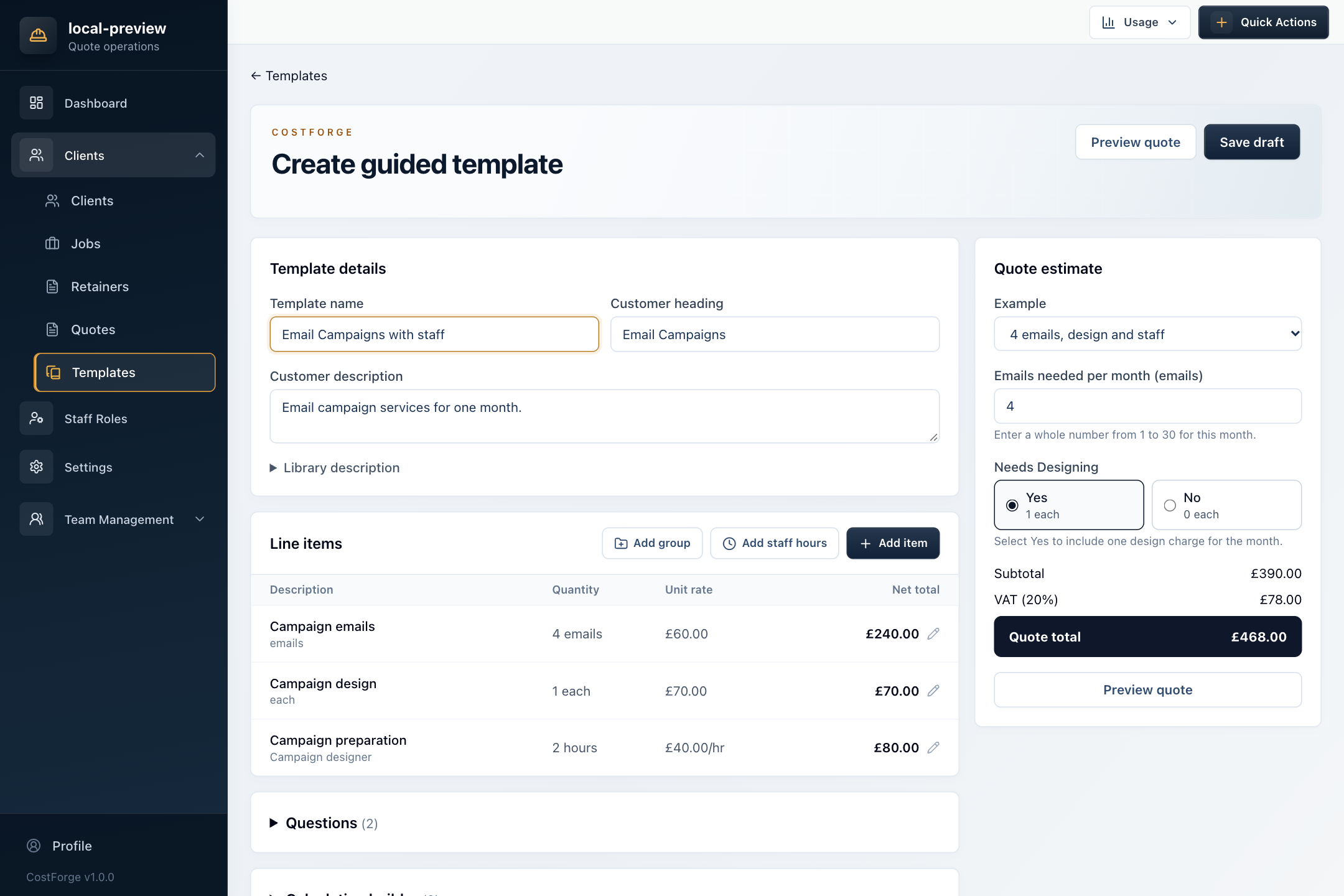
Under Clients → Templates, select Guided. Start blank, use a starter or adapt a saved item template. Set units for number questions and values for yes/no choices. Link the answers to line items or staff hours. The selected role supplies its current hourly rate when you use the template on a quote.
Test and publish
Try a familiar job and save the expected result. All saved examples must pass, with at least one positive base cost. Once you publish, colleagues can use that revision while you work on the next draft.
Price the job
Start a new quote from a published template, or choose Add Guided Template in a draft’s line items. Preview the price with the quote’s markup and VAT. Use the template again for a second location with its own answers, or add one-off items alongside it.
What the customer sees
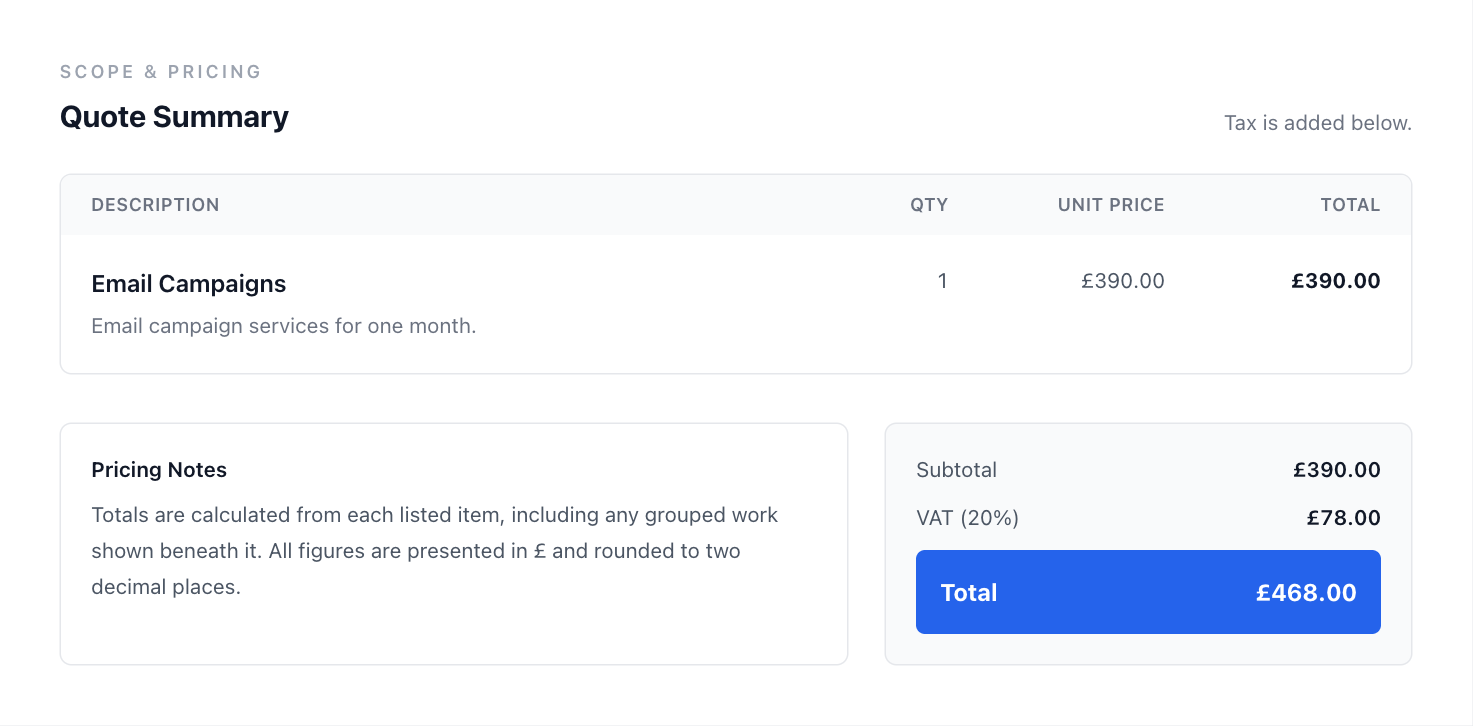
Each package appears as one named piece of work with a description and a price. In this campaign quote, the customer sees a month of email services. The team can open View working to see the four emails, design fee and two hours of preparation behind that price.
A saved package keeps its answers, template revision and applied staff rate. Later template edits and rate changes apply to future uses.
Follow the campaign example